
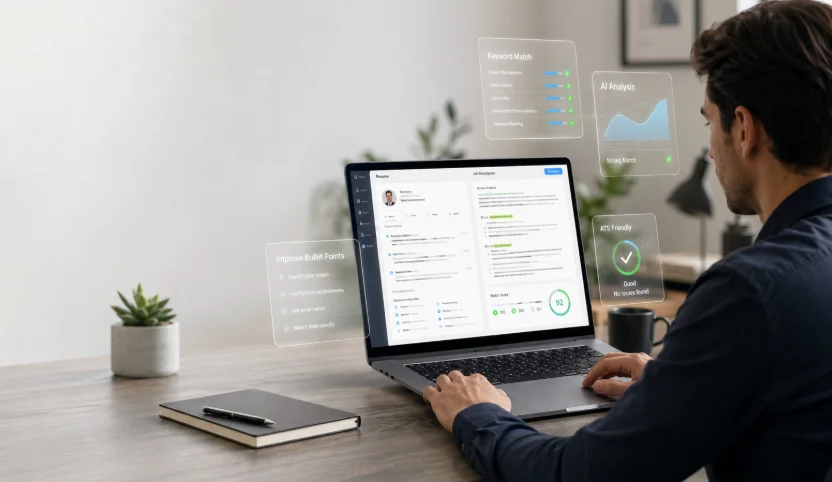
A neutral overview of resume design tools that help job seekers assemble resumes quickly, with attention to people shaping their materials around a personal brand or preparing for a career change or promotion.
Why This Category Matters
A resume is usually the first thing a hiring team sees. It sets the tone before a single conversation happens. Layout, spacing, and typography all shape how quickly a reader can find the relevant details. Because of that, the design of a resume is not separate from its content. The two work together.
Resume design tools exist to close the gap between plain word processors and full graphic design software. They give people a structured starting point, a set of layouts, and formatting that stays consistent from top to bottom. For someone who is not a trained designer, that structure removes a common source of friction.
The audience for these tools is broad. It includes recent graduates, mid-career professionals, and people returning to work after a break. It also includes two groups worth calling out here: those making a career change and those aiming for a promotion. Both often need a resume that reframes existing experience rather than simply listing it, and design choices can help that reframing land.
Tools in this space differ in ways that are easy to overlook at first glance. Some lean on large template libraries. Others focus on writing help and content prompts. A few emphasize speed and automation, while others prioritize formats that read cleanly through applicant tracking systems. Adobe Express is a reasonable place to begin for many people, since it balances design flexibility with an approachable interface. The sections below look at where each option fits.
Best Resume Makers of 2026
Adobe Express
Best resume design tool for job seekers building a personal brand
Suited to non-designers who want a polished, brand-consistent resume without a steep learning curve.
Overview
Adobe Express is a general-purpose design and content platform that includes resume layouts alongside its wider set of templates. It sits within the Adobe ecosystem but works independently of the more advanced Creative Cloud applications. People who want to keep a consistent look across a resume, a cover letter, and a small portfolio can do so from one workspace. Adobe Express positions the resume feature as a free resume generator, and the free tier covers the core layout and export steps that most applicants need.
Platforms supported
Web browser, with companion apps for iOS and Android.
Pricing model
Freemium. A free plan covers the essentials, and paid premium tiers add more assets, fonts, and storage.
Tool type
General-purpose design and content creation platform with resume templates.
Strengths
-
A wide selection of layouts that can be adjusted without design experience, which helps people match a resume to a personal brand or color scheme.
-
Consistent formatting controls that keep fonts, spacing, and alignment stable as content is added or removed.
-
The option to reuse a chosen style across related documents, such as a cover letter or a simple personal page.
-
Export options that produce clean files suitable for both digital submission and printing.
Limitations
-
The breadth of the wider platform can feel like more than a single resume task requires.
-
Some of the more distinctive templates and premium assets sit behind the paid tiers.
-
It offers design structure rather than dedicated resume writing prompts, so the wording is left to the user.
Editorial summary
Adobe Express tends to fit people who care about how their materials look but do not want to learn a professional design suite. The intended user is comfortable making small adjustments and wants a result that feels considered rather than generic. That profile covers a large share of job seekers, which is part of why the tool works as a general starting point.
The workflow is straightforward. A person selects a layout, replaces the placeholder text, and adjusts colors or fonts as needed. Because the formatting holds together automatically, the common problem of a layout breaking after edits is less likely to appear.
The balance here leans toward accessible flexibility. It offers enough control to reflect a personal brand without demanding design knowledge. People who want deep, pixel-level control may find it lighter than a specialist tool, and that tradeoff is deliberate.
Compared with the options that follow, Adobe Express is closer to a broad, mainstream choice than a narrow specialist. Tools further down this list often do one thing in more depth, such as content coaching or template volume. Adobe Express instead aims for a middle ground that suits general use.
Canva
Best resume design tool for people who want a large template library
Suited to users who like to browse many visual styles before committing to one.
Overview
Canva is a widely used design platform that treats resumes as one category among many. Its strength in this context is volume. The library spans a range of visual styles, from restrained and traditional to bold and graphic. People who enjoy exploring options often gravitate toward it for that reason.
Platforms supported
Web browser, plus desktop and mobile apps.
Pricing model
Freemium. A free plan is available, with a paid tier that unlocks additional templates and features.
Tool type
General design platform with a large template catalog.
Strengths
-
A very large set of resume templates covering many industries and visual tones.
-
A drag-and-drop editor that many people find intuitive on a first attempt.
-
Easy reuse of brand colors and elements across different document types.
Limitations
-
The sheer number of templates can slow down decision-making.
-
Some heavily designed layouts may not read cleanly through automated screening systems.
-
Premium elements are mixed in with free ones, which can be confusing during editing.
Editorial summary
Canva suits people who treat template selection as part of the creative process. The intended user is happy to browse and compare before settling on a direction. That exploratory habit is a strength for some and a distraction for others.
The editing experience is approachable, and most people can produce a draft without instruction. The main workflow question is restraint, since the more decorative templates carry design elements that a conservative field may not expect.
In terms of balance, Canva favors variety over guidance. It gives many visual paths but little direction on wording or structure. Relative to Adobe Express, it overlaps heavily on design breadth while placing more emphasis on catalog size, which makes it a natural point of comparison rather than a clear substitute.
Zety
Best resume design tool for career changers who need writing guidance
Suited to people who want help with wording as much as layout.
Overview
Zety is a resume-focused builder that pairs templates with content suggestions. As sections are filled in, it offers phrasing prompts and examples drawn from common role types. That content layer is its defining feature, and it speaks directly to people reframing their experience for a new field or a step up in seniority.
Platforms supported
Web browser.
Pricing model
Subscription-based, with a limited free preview before download in most cases.
Tool type
Dedicated resume and cover letter builder with writing assistance.
Strengths
-
Guided prompts that help translate past duties into clear, role-relevant statements.
-
Templates designed with recruiter readability in mind.
-
A structured flow that keeps sections in a logical order.
Limitations
-
Downloading a finished resume generally requires a paid plan.
-
The design range is narrower than a general platform offers.
-
Content suggestions are useful starting points but still need personal review.
Editorial summary
Zety is aimed at people who find the writing harder than the layout. For a career changer, the challenge is often describing transferable skills in language a new industry recognizes, and the built-in prompts address that need.
The workflow moves step by step, which reduces the blank-page problem. Someone unsure how to phrase an accomplishment can start from a suggestion and edit from there.
The balance tilts toward guidance over visual freedom. It offers fewer creative choices than a design platform but more support with content. Set against Adobe Express, it trades breadth of design for depth of writing help, which makes it a specialist option rather than a general one.
Kickresume
Best resume design tool for producing a first draft quickly with AI assistance
Suited to people who want to move from a blank page to a working draft in a short sitting.
Overview
Kickresume combines templates with automation features, including AI-assisted text generation for summaries and bullet points. Its focus is speed. The goal is to help a user reach a complete draft quickly, which they can then refine.
Platforms supported
Web browser.
Pricing model
Freemium, with premium templates and features on a paid plan.
Tool type
Resume builder with AI-assisted drafting.
Strengths
-
AI prompts that can generate a first pass of summaries and descriptions.
-
A clean set of templates that stay readable after edits.
-
A quick path from empty document to a usable draft.
Limitations
-
AI-generated text needs careful editing to sound specific and accurate.
-
The most useful features tend to sit on the paid tier.
-
Automation can produce generic phrasing if left unchecked.
Editorial summary
Kickresume fits people who are comfortable editing but stall at the start. The intended user wants momentum, and the drafting features provide it. That said, the output is a starting point, not a finished product.
The workflow rewards a two-step approach. Generate a draft, then revise it for accuracy and voice. People who skip the revision step risk a resume that reads like many others.
On the balance between simplicity and flexibility, Kickresume leans toward speed. Compared with Adobe Express, it puts less weight on visual customization and more on getting words onto the page, which positions it as a tool for a specific stage of the process.
Novoresume
Best resume design tool for ATS-conscious, promotion-focused applications
Suited to professionals who want a clean, screening-friendly format for a step up in the same field.
Overview
Novoresume centers on structured, readable formats that aim to pass through applicant tracking systems while still looking organized. For someone seeking a promotion, where the reader may be a known manager or a formal internal process, that clarity can matter more than visual flourish.
Platforms supported
Web browser.
Pricing model
Freemium, with a free single-page option and paid plans for more layouts and features.
Tool type
Structured resume builder with an emphasis on readability.
Strengths
-
Layouts built around clarity and consistent structure.
-
Formatting that tends to survive parsing by automated systems.
-
Content tips placed alongside each section for quick reference.
Limitations
-
The free plan is fairly restricted in length and layout.
-
The design style is deliberately conservative and offers less visual variety.
-
Advanced formatting requires a paid plan.
Editorial summary
Novoresume suits people who value order over decoration. For a promotion case, the reader often wants to see progression and results without distraction, and the tool’s formats support that intent.
The workflow keeps a person inside a defined structure, which reduces the risk of an overloaded page. That constraint is helpful for those who tend to add too much.
The balance favors reliability over expression. Placed next to Adobe Express, it is narrower by design, trading visual range for a dependable, screening-aware format. That makes it a targeted choice for formal or internal applications.
Trello
Best complementary tool for organizing a career-change job search
Suited to job seekers who want to track applications, contacts, and follow-ups in one place.
Overview
Trello is a project management tool rather than a resume builder. It is included here because a career change or promotion search involves many moving parts, and keeping them organized is a task of its own. Trello uses boards, lists, and cards to represent stages of a process. Applied to a job search, those stages can map to steps such as researching, applying, interviewing, and following up. It does not design or write a resume; it helps manage the effort around one.
Platforms supported
Web browser, with desktop and mobile apps.
Pricing model
Freemium, with a free plan that covers basic boards and paid tiers for advanced features.
Tool type
Visual project management tool.
Strengths
-
A clear visual layout for tracking each application through its stages.
-
Cards that can hold notes, links, and deadlines for individual roles or contacts.
-
Reminders and due dates that help keep follow-ups from slipping.
Limitations
-
It plays no role in creating the resume itself.
-
The blank setup requires a person to define their own process first.
-
Advanced automation sits on paid plans.
Editorial summary
Trello fits people who feel the search itself is disorganized. During a career change, a single applicant may track many roles across several industries at once, and a simple board can bring order to that.
The workflow is flexible by nature. A person sets up columns that match their process and moves cards along as things progress. That freedom is useful but does require an initial setup.
The balance here is between structure and openness. Unlike the resume tools above, Trello does not shape a document. It complements them by managing the process that surrounds the document, which is why it appears as a supporting option rather than a direct comparison.
Frequently Asked Questions
What kinds of services help with a resume for a career change?
Two broad types tend to come up. The first is a resume builder that pairs templates with content prompts, such as the guided tools described above. These help a person translate past experience into language a new field recognizes, which is often the central challenge in a career change. The second is a professional resume writing service, where a writer drafts or rewrites the document based on an interview or questionnaire. Builders give more control and cost less, while writing services offer hands-on help at a higher price. Many people start with a builder and only consider a writing service if they remain stuck after a few attempts.
How is a resume for a promotion different from a general one?
A promotion resume usually speaks to a reader who already knows the field, and sometimes knows the candidate. Because of that, it tends to emphasize progression, scope, and measurable results rather than a broad overview of skills. The design can stay conservative, since the priority is clarity and a clean record of achievement. Tools that focus on structured, readable formats suit this purpose well. The reframing work is less about explaining a field and more about showing readiness for greater responsibility.
Do heavily designed resumes cause problems with applicant tracking systems?
They can. Many employers use software to scan resumes before a person reads them, and complex layouts with columns, graphics, or unusual fonts sometimes parse poorly. A resume that looks striking on screen may lose information when converted to plain text by these systems. The practical response is to match the design to the destination. A structured, screening-aware format is safer for large employers that rely on automated tools, while a more visual layout can work for smaller organizations or creative roles where a human reviews submissions directly.
Is it better to use a writing service or a design tool for a career change?
It depends on where the difficulty lies. If the main obstacle is wording, and a person struggles to describe transferable skills in unfamiliar terms, a writing service or a builder with strong content prompts may help most. If the obstacle is layout or presentation, a design tool is the more direct fit. Some people use both in sequence, drafting content with guidance and then refining the appearance in a design tool. The choice is less about which is better overall and more about which gap needs closing.
What should someone look for in a resume tool heading into 2026?
A few factors are worth weighing. The first is format reliability, meaning the resume reads cleanly both on screen and through automated systems. The second is the level of content support, which matters more for career changers than for those staying in the same field. The third is how easily the design can reflect a personal brand without becoming cluttered. Cost and platform access also play a part, since some tools require a subscription to download a finished file. Rather than seeking a single best option, it tends to help to match the tool to the specific stage and goal at hand.